
Ask a question, request a quote or check recovery status. Call us.
We are ready to help you recover your data 24 hours/day, 7 days/week!
Hard Drive Crash Tips
Hearing a buzzing or perhaps a hard drive clicking noise emanating from your PC? Screen reads: “Operating System Not Found?”, or “Drive Not Found”, or “Disk Read Error“? Have you encountered the evil “blue screen of death”? Did you experience power interruptions and now your system doesn’t boot or read data? You could be experiencing a physical hard drive head crash that requires hard drive data recovery. Or, you could have simply just encountered some common operating system errors that make it impossible to operate your computer. Either way, it pays dividends to know exactly how to tell if your hard drive has crashed if you’re serious about recovering data.
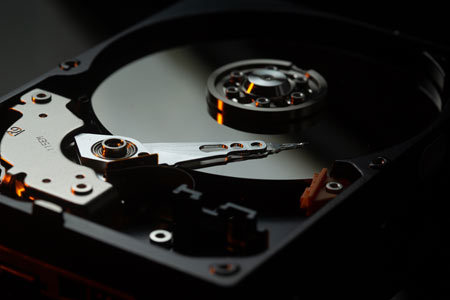 First thing, take a look at the issue your computer is facing that may have created the hard drive crash. Are there physical hardware failure issues with your PC or Mac? As in, do you have broken mechanical components? Aside from very obvious physical damage, such as a system affected by disaster such as fire or flood water damage, there are some things you should check when you need to recover vital data.
Detecting The Danger Sounds – How To Tell If Hard Drive Is Crashed
If your hard disk drive is emitting odd sounds such as clicking, scraping or grinding sounds, your best bet is to immediately turn your PC off (failing to do so may cause total hard disk failure, and you risk losing data and in the worst case scenario, may cause even more damage). In most cases where actual noises are heard, this action is critical for both PC and Mac users for successful data recovery, as your hard drive is likely damaging itself because of a disk head crash! Hard drive noises are typically symptomatic of protective hard drive head failure, a major cause of data loss. In essence, the actuator arm or other moving parts may be making physical contact with mechanical components they should not be contacting. If it is a physical problem like this, you may need professional hard disk drive recovery if your data is valuable enough that you are considering recovering it.
Reach out to us here for help with your crashed hard drive!
Once read write head misalignment has occurred, continual usage can destroy the data on your hard drive, mainly because of the high rate of spin for most hard drives, which can range from 4,200 RPM for a newer laptop drive to 15,000 RPM+ for high end SCSI drives. When noises are being heard, the head can damage the actual hard disk platters very quickly and cause severe data loss that makes it impossible to perform data recovery. If you are experiencing a situation like this, the proactive approach is to contact us for a hard drive crash data recovery quote right away. It may be likely that you’re working with a damaged hard drive that may need to be serviced at our clean room, or at least by another data recovery company that has the proper equipment to restore crashed hard drives.
What To Do To Recover Data From A Crashed Hard Drive?
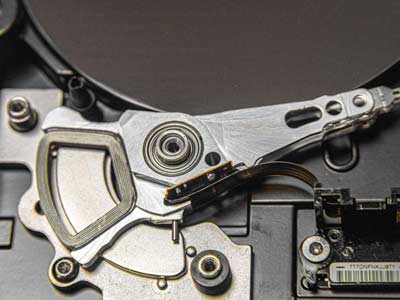 Your key determination when you have a hard drive crash is to determine whether you have a “physical” or “logical” hard drive failure, the two types of hard drive failures which may require data recovery. In layman’s terms, a logical hard drive failure is typically centered around your file system, and can typically be fixed using a data recovery software.
Meanwhile, a physical crash means that the hard drive has something physically wrong with it so that it can’t operate normally. This is typically something that can only be fixed by a professional hard drive recovery service if you truly want your data recovered.
Using A Hard Drive Enclosure For Data Salvage
In many articles centered around how to recover data from a crashed disk, using what is called a hard drive enclosure is recommended to try to copy data onto another drive in order to recover files. The basic operation there is to pull your compromised drive from your computer or laptop, and then put it into a USB or Thunderbird connected enclosure and access the hard drive with ANOTHER system. This can work, but typically ONLY when the system itself is broken and has experienced hardware failure.
As an example, a laptop that has had coffee spilled onto it may not work or even power on, but in many cases the drive is OK and a hard drive enclosure can allow access to the drive. Or another example, if your PC’s motherboard is suddenly not working (hardware failure), but the hard drive is functional, again a hard drive enclosure can work. But these two instances are basically it when it comes to using an enclosure for data recovery.
Meanwhile, if the hard drive itself has crashed, a hard drive enclosure will be useless for hard drive data recovery. With a logical crash, you will still need to fix whatever data corruption or file system issue you have, and with a physical crash, the hard drive enclosure will be as unable to power up and connect to your crashed hard drive as your original system was. Basically, if you have corrupted files, they will remain corrupted files after this transfer process!
Contact us here for help with your bad hard drive!
Determining whether you have a physical or logical crash is something a professional shop like Hard Drive Recovery Group does on a daily basis, so obviously calling a hard drive data recovery solutions provider first is always a great idea. If however you need to determine for yourself whether you have a physical or logical hard drive crash, there are a few set rules to consider.
First, a logical drive crash typically may provide early warning signs, such as:
- Frequent error messages during normal computer operation
- Strange system crashes and drive error messages
- S.M.A.R.T. warnings showing upon bootup
- Missing or disappearing files
- Corrupt files or changed folder names
Simple disk checks may often cure these logical failure issues before they corrupt the entire file system, so doing that right away is always best.
Physical hard drive crashes, meanwhile, can be very easy to determine for most people. Symptoms your drive may be physically damaged may include:
- The disk is not found during boot (error messages may appear)
- Clicking or buzzing noises during read write functions or before the hard drive crashed
- Continuous noise that wasn’t there previously
- The blue screen of death (BSOD)
- Obvious factors such as water damage
Basically, for most physical hard drive crashes there is not a DIY path that novices can take to recover their data. Sure, you may be tempted to open the hard drive to examine its mechanical components, but in a worst case scenario, you may risk losing everything if you make contact with certain hard drive parts or physical components. Take it from us: you either have to call on a professional data recovery service, or simply buy a new hard drive and scrap the lost data.
Using Disk Utility Software
Currently, there are hundreds of data recovery software products on the market, many of which are good for data recovery in cases of accidental deletion or in order to fix bad sectors, and many of which not so good. What you should understand about these products is that they are typically created for preventative maintenance and to remedy common errors, and not for actual data recovery solutions when logical failure is present.
These programs, often called “Disk Utilities”, are fine for correcting minor day-to-day system and file problems like minor logical errors or bad sectors, but in extreme cases of hard drive crash they frequently can actually cause more damage, and render data unrecoverable. Here are some of the most important things you should know when you need to recover lost data:
- When you hear strange noises coming from your PC or Mac, never use your utility software for data recovery. This is critical!! Your attempts to use the software could actually further damage your hard drive, as the sounds you are hearing are most likely a physical problem. There is simply NO software that is currently available that will fix hard drive problems. It is likely there will never be such a product, so be warned!
- If you are already booted up, you may want to attempt to backup your important data if you have not already. This is a risky move, depending on how far gone your drive is. If you have a S.M.A.R.T.-enabled system (Self-Monitoring Analysis and Reporting Technology) running, see what it says. This system will typically warn you if your drive may be ready for imminent physical failure. If you want to take the risk, you may be able to pull the data from the hard drive, and avoid having to have a physical hard disk repair or hard drive recovery service performed.
In the end, your best bet is always to turn off your computer or external drive immediately, and contact a professional data recovery company. Shutting down your computer prevents any further damage to both your hard drive and to the important files it contains.
Saving An Undo File – A Critical Move With Utility Programs
Most disk utility programs worth their salt (avoid software with no “Undo” function altogether) will always ask you if you would like to save an “undo” file so that it can reverse any potential negative changes it may make to your hard drive. This is critical for any logical hard drive crash.
Avoid one of the most common errors folks often encounter by ensuring you click yes to any “undo” proposition. In many cases, if your utility program does not prevent the damage to your data, an undo file will at least ensure that your already fragile hard drive doesn’t experienced too much stress. As well, by sending the undo file on a disk with your hard drive, we can better recover all of your data.
Logical Crashes Are Difficult, But Easy To Solve
The key issue for many people who experience a logical hard drive crash is the fact that the file system problem or partition table corruption occurs on their main, or C: drive. Obviously, this is usually the drive that contains your computer’s operating system, so having a logical problem with this drive can mean that your computer may not be able to start up.
What you will typically need in cases like this is a data recovery software that will work in DOS or as a startup disk. If you can boot to disk data recovery software, you can often repair either your file system or partition tables without too much trouble and access your recovered files. Feel free to contact us for any recommendations of high quality data recovery software, as we work with hard drive crashes on a daily basis, and would be glad to help.
Meanwhile, with external drives, consulting your computer’s basic disk tools such as your disk check or defragmentation program may actually suffice to restore your important files. In Windows in particular the disk check tool is very powerful and can often quickly correct problems and restore your lost files.
A Physical Hard Drive Crash
The main type of hard drive crash recovery service that Hard Drive Recovery Group provides is that derived from an actual physical hard drive failure. This can be the result of many things, including physical damage or human error, but generally the result is that the hard disk is not accessible via normal means. When you know for sure that you have a physical hard drive crash, you will typically want to do as little as possible to the drive. We typically recommend that our customers shut down their computers immediately, as often even applying power to the drive can further damage the data on the platters.
With a physically damaged hard drive, there is very little you can do personally. Many people attempt to use data recovery software on a clicking or buzzing hard drive, only to actually damage the data on the disk and make it almost impossible to recover. This is obviously a very poor course of action, so if you suspect physical failure you will probably want to contact a professional hard drive recovery company right away.
Assessing Your Data’s Value
The pricing for hard drive crash recovery varies. But if you find that you have a physical hard drive problem, you may want to assess the actual value of your data.
As an example, if you have a good backup and have not actually lost a lot of data on the failed hard drive, you may just want to replace it with a new hard disk instead of paying for data recovery. And if your hard drive only contained MP3s, as an example, you’re going to find that contacting a professional data recovery service is probably not worth it.
However, if you do not actually have a backup, and your drive contains important data such as business data or other critical files, you may want to consider contacting Hard Drive Recovery Group for a free data recovery consultation. A key thing to remember is that a call to us is always free, and we can at least help you determine whether or not you have experienced a physical or logical hard disk crash.
Data Recovery For Windows NT/2000/XP Server, Linux, Unix and NetWare
Attempting to recover data from systems based on professional level operating systems by yourself is not necessarily a good idea, no matter your particular level of expertise. Be warned especially about using disk utility programs for these particular systems, as they are expensive systems which should be treated with care. If you have hard disk problems with any of the OS flavors mentioned above, contact a professional first.
— Hard Drive Recovery Group (@hdrecoverygroup) February 8, 2022
In the end, crashed hard drives are a part of life if you run your computer for more than two years. A bad hard drive is not common, but they do appear from time to time. What’s more, daily use of any system will add some wear to any hard drive, which is again a major cause of hard drive crash.
The key is to never panic, as your data is probably safe. This is why calling service providers like Hard Drive Recovery Group can be a game changer.