Ask a question, request a quote or check recovery status. Call us.
We are ready to help you recover your data 24 hours/day, 7 days/week!
Hard Drive Recovery Group
Professional Data Recovery For Over 30 Years
Hard Drive Recovery Group provides safe, secure hard drive data recovery for Mac and PC hard disk drives, both via software and clean room hands-on data retrieval. Each day, we recover thousands of megabytes of files and data for individuals and companies across North America.
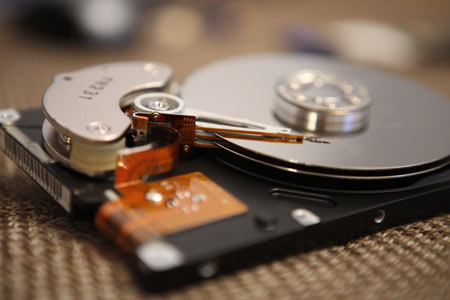 Have you accidentally deleted files or cannot access your hard disk drive? Is your hard drive making clicking noises? Have you lost array drives and require RAID recovery? Click here to request a quote on our 24 hour turnaround RAID data recovery service.
If you have a PC or laptop hard drive failure, click here.
We focus on finding you the most affordable, efficient hard drive recovery solution possible. We are also the only shop in the industry to offer 24 hour turnaround on RAID recovery jobs, as well as overnight expedited hdd recovery shipping.
We believe you should never have to pay for a hard drive recovery diagnosis. Consulting with us first will put you on the right track to retrieving your data.
We have over 30 years of data recovery experience, and charge flat rate prices for our hard drive recovery service.
Basically: we provide you with a solid estimate BEFORE you ship us your hard drive so that there is never any surprises. Also:
If we can’t recover data, there is no charge.
So whether your data was lost because of mechanical failure such as hard drive crash or failure, or because of computer virus, accidental deletion or natural disaster, contact us first to recover your hard drive quickly and affordably.
Get a free data recovery consultation here.
Read what some of our clients have to say about us here on our testimonials page.
Data Recovery Service Focus
Our professional enterprise solutions also include RAID 5 data recovery, RAID 10 data recovery, repair of MS Exchange and Sun Solaris servers and Oracle and SQL databases.
Server recovery has been our specialty since we first established our company, and continues to round out our emergency data recovery services portfolio.
Portable media is an important focus for us outside of hard drive recovery, and we have a wide variety of experience recovering files and data from media such as DLT and DAT tape, ZIP and Jaz disks, flash and SD cards, CD, DVD and other formats.
RAID Array Recovery – RAID recovery is our recognized specialty, alongside other more complex server repair services, such as Oracle, SQL Database and MS Exchange recovery.
Restoration and repair of your RAID array is Hard Drive Recovery Group’s number one priority, and we use only safe RAID recovery methods when attempting any repair. We have high level experience with Dell PowerEdge, HP ProLiant, Promise and IBM ServeRAID controllers, as well as all other major brands of RAID systems. Plus, we offer an industry-unique 24-hour turnaround on RAID repair.
Read more about our specialized RAID data recovery service here.
Hard Drive Data Recovery – Basic desktop computer hard drive recovery services – via both recovery software and hard disk repair service – has been our key focus since day one. This means that if you experience file system errors which may only require Linux, Mac or NTFS data recovery software, we have the correct product for you, available for quick download.
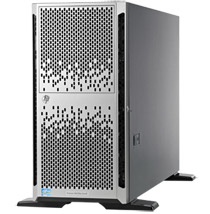 On the other hand, if you have experienced a physical hard disk crash and need hard drive recovery, then you may require the help of our professional hard disk recovery technicians. Either way, we can recover your hard drive and retrieve your data quickly and effectively.
Read more about our hard drive data recovery services here.
Mac Data Recovery – Let’s face it… Apple has changed the way we look at computing in general. From the IMac to IPod to IPhone, Apple’s innovation continues to shape the computer industry.
What the company hasn’t invented, however, is a failure-proof hard disk. This is where Hard Drive Recovery Group comes in. We offer Mac data recovery and hard drive repair services that most shops simply aren’t qualified to do.
Read more about our Mac data recovery service here.
Dell PowerEdge Server Recovery – Now older servers such as the PE1600, PE2850, 2970, or many of the even older generations of PowerEdge servers are encountering more logical disk errors than ever.
So when these servers report errors like “2 logical drives failed”, “Rebuild Failed: Controller 1, Logical Drive 1” or even “0 Physical Drives Found on the host adapter”, you should not be surprised.
You should, on the other hand, be very careful when dealing with the hardware in this state. Dell’s PERC controllers can be very sensitive to rash actions, and can create massive data loss if not handled correctly in situations like this.
Meanwhile, multiple drive failures on these PowerEdge servers are often irreversible without professional help. This is often denoted by errors such as: SMART Failure prediction threshold exceeded or even logical unit failure prediction threshold exceeded.
Whatever your issue, Hard Drive Recovery Group has specialized in Dell server repairs and disk warranty service for over 25 years. Contact us first if you have anything from a controller failure to a NVRAM issue or a boot disk problem – we can help.
Read about our Dell PowerEdge Recovery service here.
HP ProLiant RAID Configurations have also been a specialty of HDRG since back before HP merged with Compaq. Because of common business replacement cycles, many of the earlier DL100, DL300, DL500, Legacy and ProLiant Blade servers are currently experiencing highly problematic instances of multiple disk drive failure that can make for difficult times for Administrators.
Some of these arrays are so old, in fact, that adding an unassigned drive to the older hardware can be all but impossible. What’s more, when these machines report errors such as: Drive positions appear to have changed, or Imminent Failure, it can be very dangerous for your data.
Remember also that ACU (ProLiant Array Configuration Utility) and SMH (System Management Homepage) tools can be very helpful in these situations, but are not a cure-all.
Rebuilding an HP array after a single drive failure can offer up issues you might not expect, and can be tricky as well.
HDRG data recovery engineers are available 24 hours per day to help you with any ProLiant array configuration issues. A quick call can save not only a lot of hassle, but potentially from damaging your data!
Read about our HP ProLiant Recovery service here.
About Our Company
Hard Drive Recovery Group is a national company that has been recovering data from hard drives and other media since our inception in 1987. Throughout our history, we have worked with individuals and small companies, as well as Fortune 500 companies and large non-profit organizations and recovered thousands of terabytes of data in the process. See some of our clients here.
This is one of the many reasons why Hard Drive Recovery Group works with the same customers year after year. In fact, 85% of new clients are referred by already satisfied customers!
Free Local Business Server Pickup
If you need data recovery and you’re in Irvine, Anaheim, Santa Ana, Orange, Newport Beach or other Orange County locations, we now offer FREE business hard drive pickup. For RAID issues in Los Angeles, we also provide free data recovery pickup.
Please contact us at the above toll free number to arrange a pickup.
Technical Capabilities
Our facilities host a class 100 clean room to facilitate hard drive recovery and other data recovery service options such as RAID, RAID5, RAID10, and other forms of data recovery. All work is completed at our own facility by our staff of data recovery engineers, one of whom will be assigned to work with you personally every step of the way through the process.
Contact us for a flat rate quote today.
We thank you for visiting our website, and encourage you to read more about our company and the services we provide.
As well, don’t forget to check out our emergency tips on RAID recovery, which can be critical to follow when data loss becomes a panic situation.